

Quick utilities
Build layers, precompose selections, place clips, detect frames, and customize which tools stay visible.
Free After Effects tools for timeline tasks, reusable workflows, easing curves, and queued AI processing.
Windows & macOS After Effects
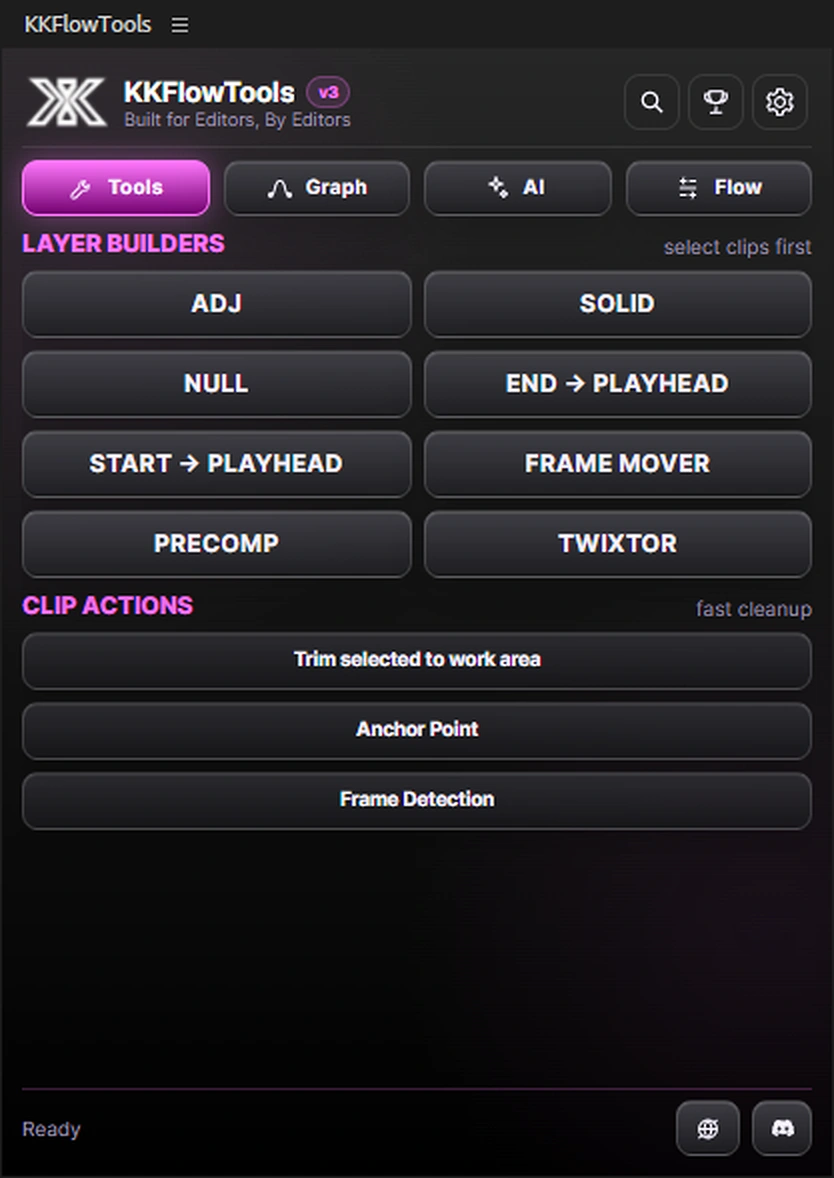
Run timeline utilities instantly, search commands with Ctrl+K, and keep only the tools you use.
Choose a tab to explore its tools. Editing actions run inside After Effects.
Fewer repeat tasks
Turn common timeline, graph, and processing tasks into quick actions and reusable workflows.
Build layers, precompose selections, place clips, detect frames, and customize which tools stay visible.
Chain common actions into named workflows and run the full sequence again whenever you need it.
Capture selected keyframe easing, then search, favorite, save, reorder, and reuse your curves.
Interpolate or upscale multiple clips with queue recovery, pause, reorder, cleanup, and per-clip retry.
Installation
Download and extract the KKFlowTools folder.
Place it in the Adobe CEP extensions folder.
Restart After Effects after installation.
Find KKFlowTools under Window → Extensions.
Extension questions
Yes. KKFlowTools is free to use.
V3 adds reusable workflows, graph capture and favorites, a persistent AI Job Center, Ctrl+K command search, and customizable tools.
Use C:\Program Files (x86)\Common Files\Adobe\CEP\extensions\ and restart After Effects.
Use /Library/Application Support/Adobe/CEP/extensions/ and restart After Effects.
Built for editors, by editors
Download v3 and spend less time rebuilding timeline setups, easing libraries, and multi-clip processing jobs.